The manifest: six entries, one order
Treat the order like a shipping document, not a single transaction
A real manifest gets a new line added at every stop a shipment passes through. This page uses the same idea: six entries, drawing on Tomebuy’s Shopping Agent Guide and the policy pages for each stage.
If this is your first time ordering through a shopping agent at all, read the six entries in order; together they walk you through your first order, step by step, from a pasted link to a signed-for parcel. If you already know the shape of the process, jump to the entry you have a question about.
Official Tomebuy buying guide — written steps, checked 25 October 2026.
The six entries
- 01
Order & pay
You give Tomebuy a listing link (Taobao, Tmall, 1688 or Weidian) or search its catalogue directly, confirm the price Tomebuy quotes, and pay through its PayPal-provided card channel or your account balance. For sites Tomebuy does not search directly, the DIY Orders form takes a product name, a link, a specifications note, and a reference photo instead.
Before checkout, select the model, colour, size and quantity, and check any minimum order or delivery restriction. After payment, follow the purchase on Orders; use its Contact button to reach the purchasing agent.
Tomebuy's own published promise for this entry: no handling fee is added on top of the item price, the domestic shipping fee to the warehouse, and the international leg. Sourced from the Service & Fees page, read 2026-10-21.
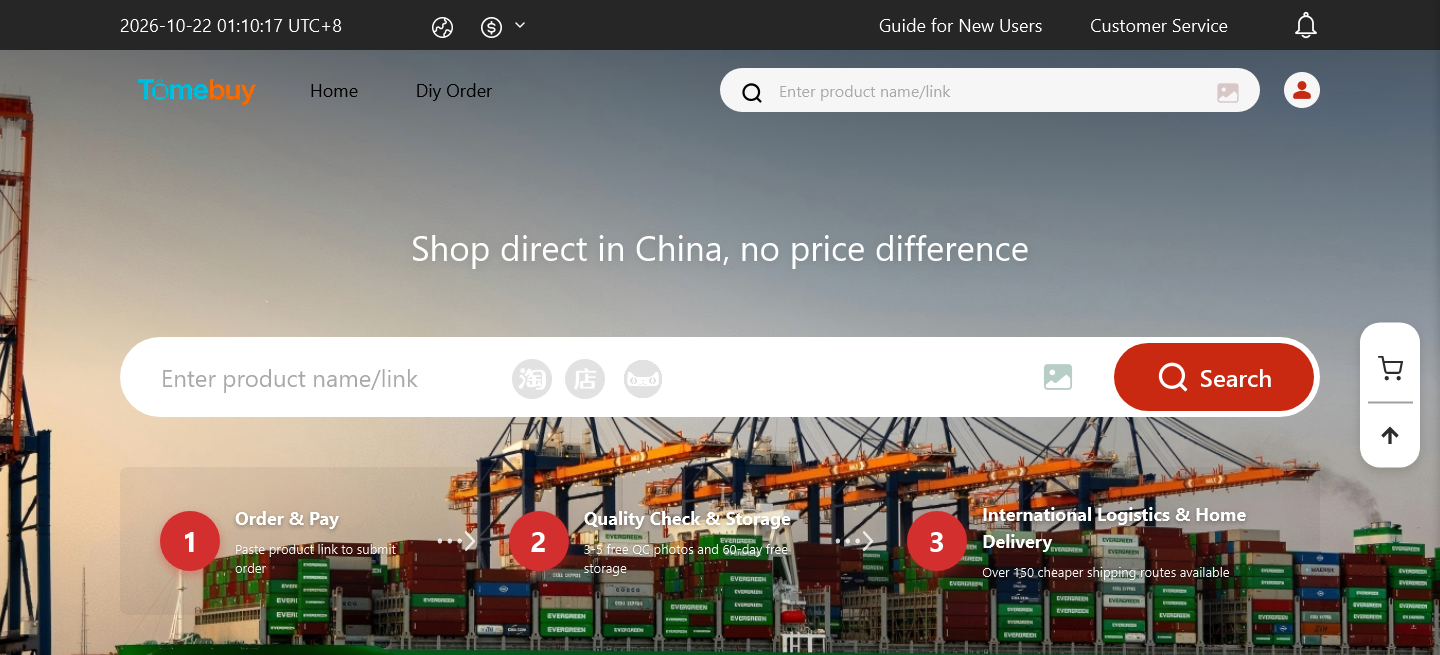
The order-and-pay promise as shown on tomebuy.com's own homepage, captured 2026-10-22. - 02
Warehouse intake
The seller ships to a Tomebuy-operated warehouse, not to you. Once goods arrive, the order status changes to “in storage” or “stored in warehouse”, and that status change is the clock that starts your free storage window.
This is also the entry with the least public documentation. The warehouse-status screen sits behind a Tomebuy account login, and this site has not been able to capture it: automated browsers get a Cloudflare challenge page on the sign-in route, not the dashboard itself. The picture below is our own illustration of that screen, built from the status names in Tomebuy's Order Questions help and the steps in its Shopping Agent Guide; it is not a capture.
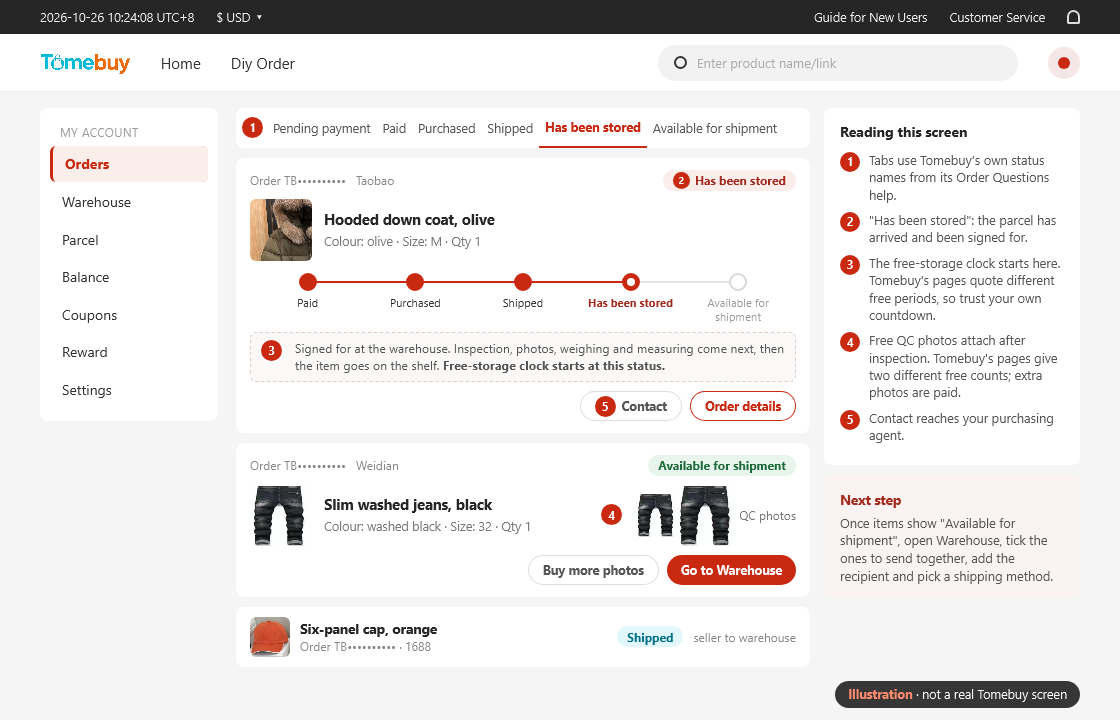
Illustration drawn by this site, not a real account screen. The tabs use the purchase-order statuses Tomebuy lists in its Order Questions help: Pending payment, Paid, Purchased, Shipped, Has been stored and Available for shipment. Between the last two, the warehouse inspects, photographs, weighs and measures each item before it goes on the shelf. Tomebuy's own pages disagree on how long free storage lasts and how many free QC photos an order gets, so the screen shows neither number; the storage and QC pages set out each version. - 03
QC & photos
Tomebuy inspects appearance only: model, style, colour and size against the listing. Anything sealed, or anything that is not a garment, bag, suitcase or shoe, does not get unwrapped; electronics are checked for visible condition, not tested for function. Free photos are attached to the order once inspection is done.
How many free photos depends on which Tomebuy page answers the question, covered in full on the QC page. Extra angles or close-ups beyond the free set are a paid add-on through the Orders page.
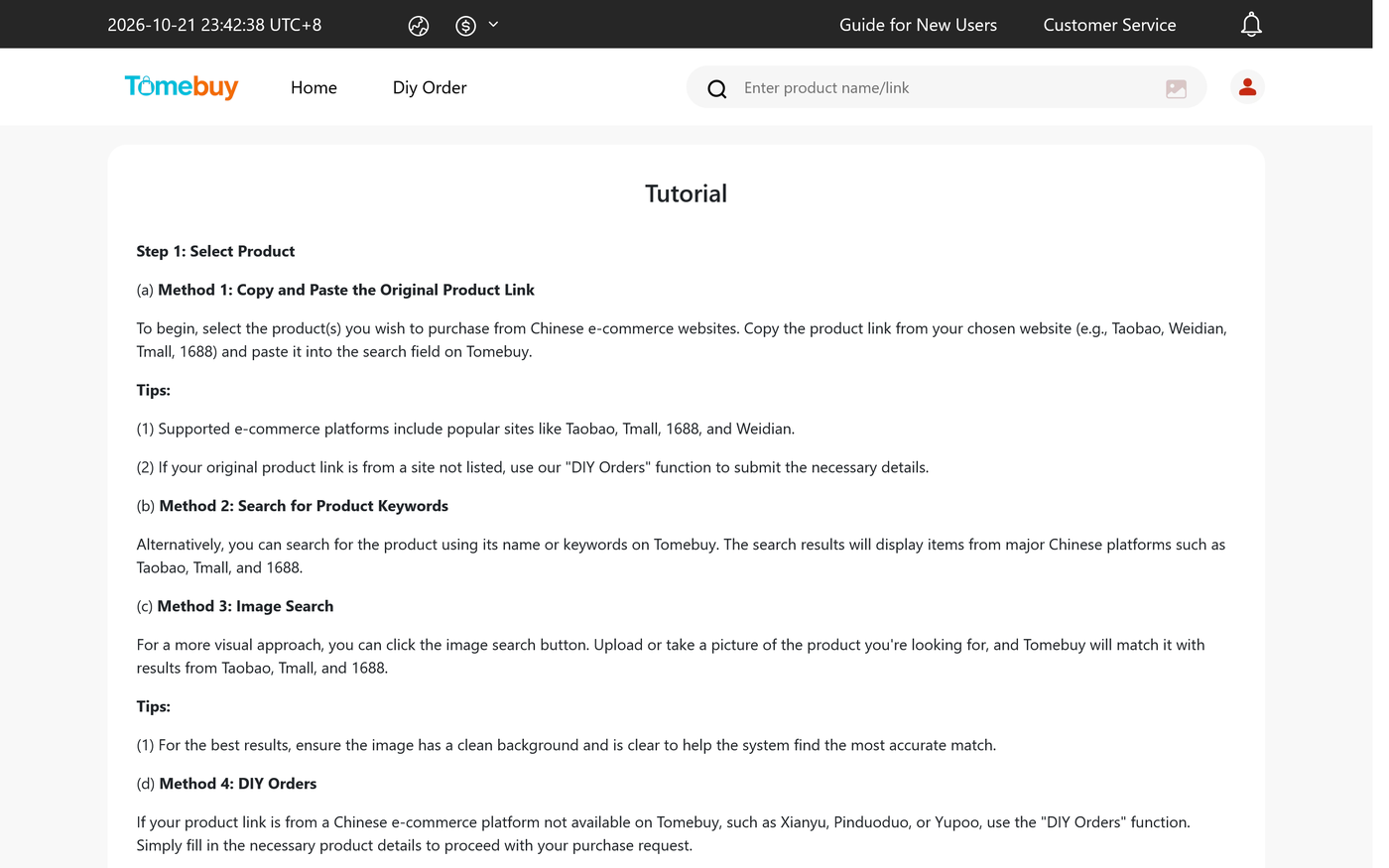
Tomebuy's own Tutorial page, the article this site drew the QC-photo figure from, captured 2026-10-21. - 04
Consolidation
Items can sit in the warehouse together and ship as one parcel instead of several. Combining saves on the per-parcel handling fee and on the repeated first-weight charge each separate parcel would carry.
Open Warehouse, select the stored items to send together, enter the recipient’s details and choose a shipping method. Request any packaging removal, reinforcement or insurance before submitting the parcel.
Tomebuy's own Distribution FAQ works a concrete example on an EMS-to-US rate card: first 500 g at 160 RMB, each additional 500 g at 55 RMB, plus a 4 RMB handling fee per parcel. Three items sent apart cost 822 RMB combined; the same three items consolidated into one 3,800 g parcel cost 549 RMB, a 273 RMB saving.
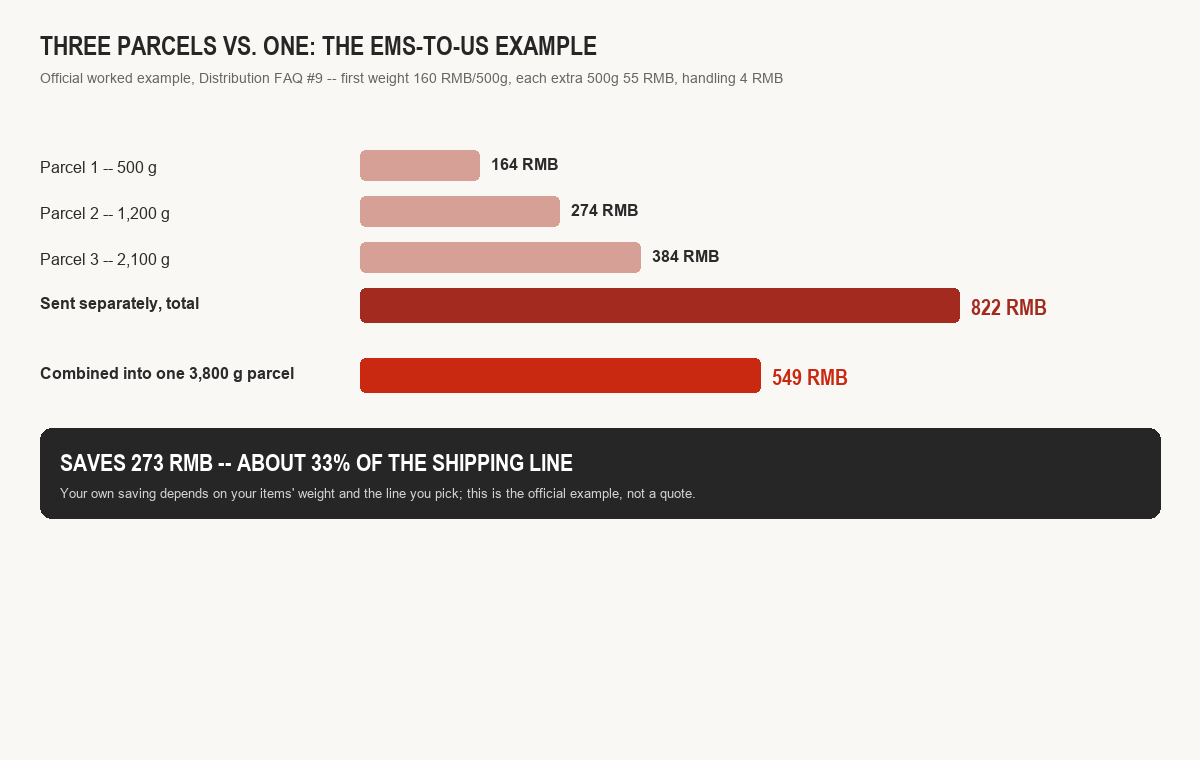
Tomebuy's own worked example, Distribution FAQ #9. Try your own weights on the consolidation tool. - 05
Freight & customs
You pick a line at checkout and pay the international leg. Whichever number comes out bigger, your scale reading or a box-dimension sum run through a carrier-set divisor somewhere between 5,000 and 8,000, is the one that gets billed. Customs clearance on non-duty-free routes is the recipient's responsibility; Tomebuy's own FAQ puts the overall taxed-parcel rate at roughly 0.3%.
After paying freight, open Parcel to follow packing. Warehouse staff measure and weigh the packed box before the final shipping cost is confirmed.
Tomebuy says it holds an IOSS registration for EU-bound parcels under the bloc's 2021 VAT rules, and lists postal and commercial-courier channels it uses for EU customs clearance. Full detail, including the declared-value thresholds it publishes for eleven destinations, is on the freight and customs page.
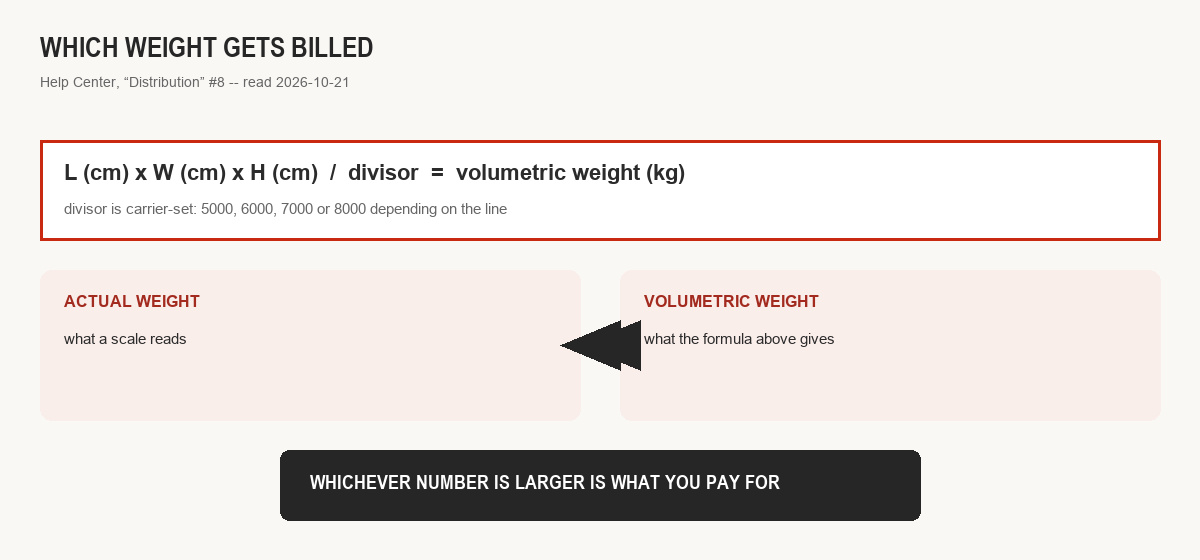
How chargeable weight is decided, drawn from Tomebuy's Distribution help article #8. - 06
Delivery & after-sale
The parcel is signed for, and that date opens a narrow after-sale window: Tomebuy's Returns and Refunds page gives five days from warehouse stock-in (its own Return and Refund Service FAQ frames the same rule as seven days from receiving the parcel, which lines up once you count the days the parcel spends in transit after leaving the warehouse). Return something with nothing wrong with it and the round-trip postage plus a 0.75 USD service charge lands on you, not Tomebuy.
Use My Account → Parcel to follow international tracking. When the parcel arrives, confirm delivery there; use Contact or online support if something is wrong.
Not eligible for return under that policy, per the same page: custom-made or personalised items, anything opened or missing original tags and packaging, intimate apparel, food items, and anything already used.
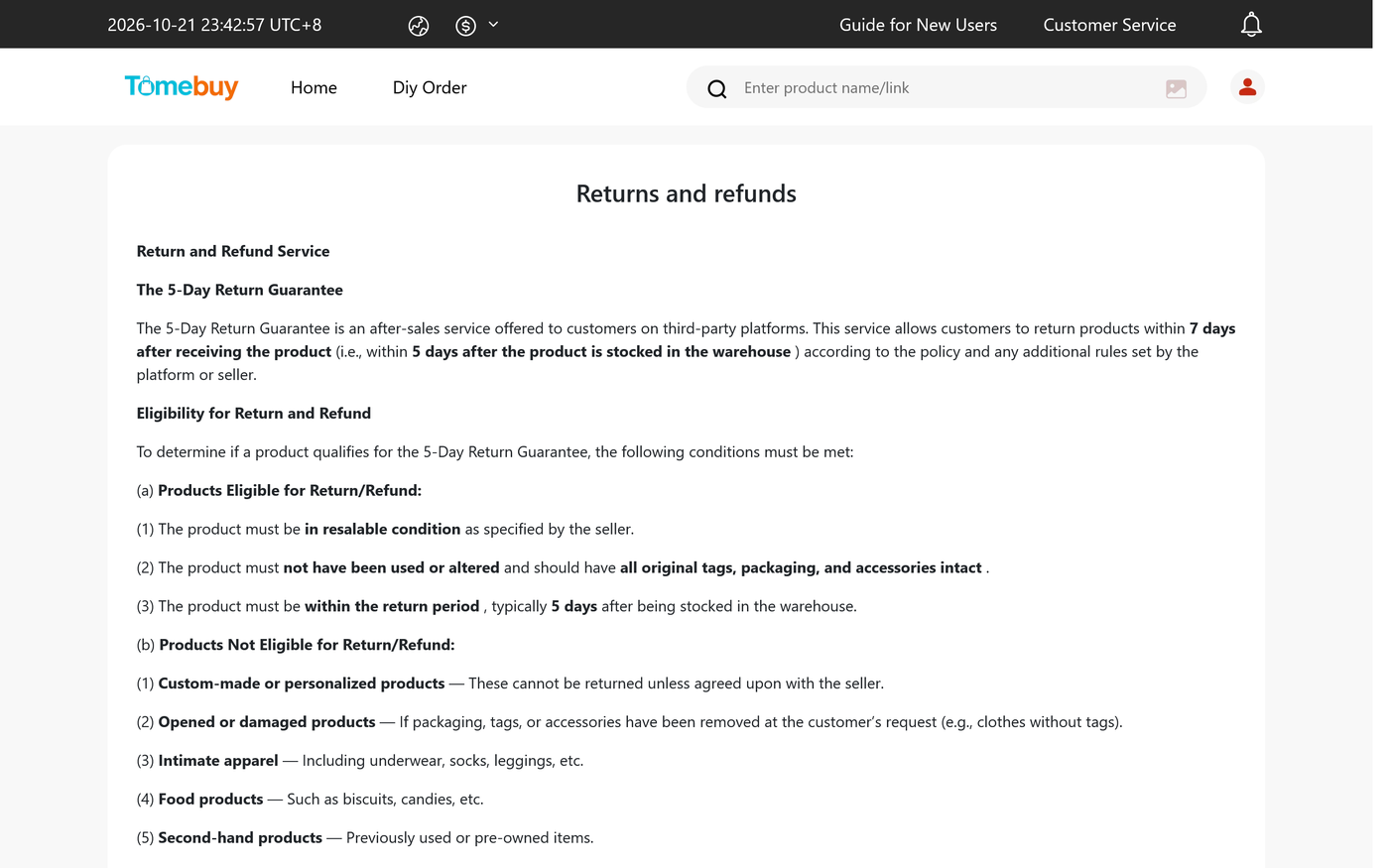
Tomebuy's own Returns and Refunds page, captured 2026-10-21.
No official walkthrough yet
Tomebuy has not published a video walkthrough of this process on any channel this site could find, and it has no linked social accounts. The slot below is reserved; it will only show a real clip once one exists, official or user-submitted. Until then, the short silent walkthrough below is one this site put together from Tomebuy's written guide, labelled as ours, not Tomebuy's.
The written Shopping Agent Guide explains the steps but contains no playable tutorial video. Its invitation to submit a customer review video is not a link to an official demonstration. Rechecked 25 October 2026.
The manifest does not end at delivery
A signed-for parcel still leaves the five-day return window open, covered in full on the storage and returns page, and any Tomebuy Insurance cover you bought at the freight stage stays active for its specific claim window too. Treat delivery as the point where the manifest's documentation shifts from Tomebuy's warehouse records to your own, keep the QC photos and the shipment confirmation until that return window has closed.