QC and photos: how many, and what gets checked
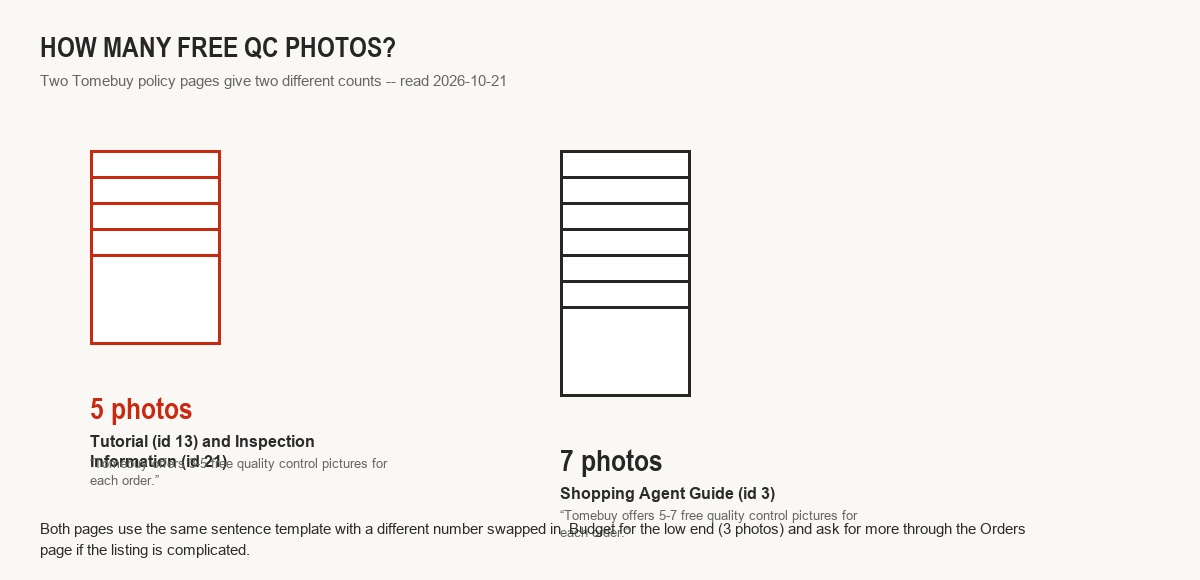
Two Tomebuy pages, two different free-photo counts
This is not a typo you can wave away. Both pages use nearly the same sentence template with a different number swapped in, which is a sign the underlying content was templated once and only partly edited since.
This page also covers how to check QC photos against the listing before you accept them, below.
If you are budgeting for an order, plan around the lower number. If the free set does not show what you need, say a close-up on a logo or a specific measurement, Tomebuy's Help Centre prices a paid add-on at 2 yuan per photo, requested through the order's remarks field once it is in stock.
Appearance only, and not on everything
Tomebuy's Inspection Information page is specific about the limits, and a Warehouse notice repeats the same scope in its own words, so this is one of the few policy points that is not internally contradictory.
Checked
Model, style, colour, and size against the original listing. Visible surface condition and obvious defects.
Not checked
Whether an appliance, gadget, or other powered item actually works or is genuine; that category only gets looked at, never switched on.
Not opened
Anything sealed, or anything that is not a garment, bag, suitcase or shoe, is left in its wrapping rather than opened for inspection.
Disclaimer
Tomebuy leans on the seller's own flaw disclosures as part of what the inspection is judged against, so a seller who discloses a flaw up front is not overridden by the QC photos.
What to check against the listing before you accept them
- Colour under warehouse lighting can shift noticeably from a studio product photo; compare against the listing's secondary or lifestyle photos, not just the hero image, if the shade matters.
- Count what shipped against what you ordered: a multi-item listing with options sometimes ships a different combination than the one the cover photo implied.
- Logos, hardware colour, and stitching are the fastest tells on a garment or bag photo; a tag or size label visible in the photo is worth reading against the listing's stated size.
- If a photo raises a question, ask before the order moves further down the manifest. QC happens once, at warehouse intake, not again at the freight stage.
Where this page's numbers come from
What Tomebuy's own pages describe happening next
From the Order Questions help article and the After-Sales Service page, read 2026-10-21.
Tomebuy's published order-question answers describe contacting customer service once an order is in a given status, with the available action narrowing as the order moves further along: cancelling is straightforward while an order is still marked paid, gets more involved once purchasing is complete but the seller has not yet shipped, and requires coordinating with the seller once the item has already left for the warehouse. Raising an issue as soon as a QC photo looks wrong, rather than waiting, keeps more of those options open.
Appearance only, not a function test
This is the sharpest limit in Tomebuy's published QC scope: a plug-in gadget gets looked over for scuffs and dents, nothing more, nobody at the warehouse turns it on to see if it runs. If a working condition matters as much as cosmetic condition for an electronics purchase, that verification is not something the free QC step covers, and is worth weighing before you order something you cannot easily test again once it clears customs.