Tools
Built on Tomebuy's own published formulas, not a live quote
Both tools run entirely in your browser on the numbers you type in. Neither one calls Tomebuy's checkout or pulls a live rate; the second tool's default values are the worked example from Tomebuy's own Distribution FAQ, which you can overwrite with your own figures.
Chargeable-weight checker
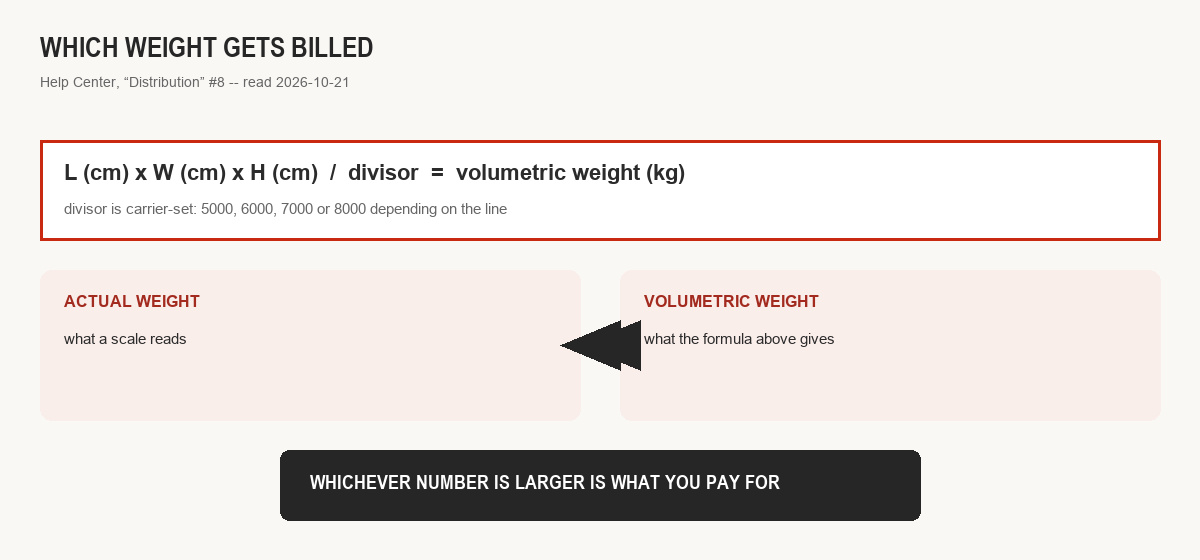
Formula: length × width × height (cm) ÷ divisor = volumetric weight (kg). The larger of that and your actual weight is what gets billed. Divisor is set by the carrier, typically somewhere from 5,000 up to 8,000; Tomebuy's own Distribution help article #8 lists that range without naming which line uses which.
Split-versus-combine shipping estimator
Defaults are Tomebuy's own EMS-to-US example from Distribution FAQ #9: first 500 g at 160 RMB, each additional 500 g at 55 RMB, 4 RMB handling per parcel. Change the rate fields to model a different line once you know its actual pricing from your own order.
Both tools cite a real Tomebuy source, not an assumed industry average
A short walkthrough of both tools
Try the displayed 40 × 30 × 20 cm carton at 2.5 kg: its volume is 24,000 cm³, so divisor 8,000 gives 3 kg and divisor 5,000 gives 4.8 kg. Both exceed the scale weight. Select the divisor for your actual eligible route, then allow for that route’s rounding and limits. A smaller calculated weight is not automatically a lower fare; the freight page explains what still needs a real quote.
The consolidation tool compares up to four weights under one rate table. The displayed example gives 822 RMB separately and 549 RMB combined, a 273 RMB difference. For your comparison, first confirm all items may share that line, then replace the rates and allow for packaging. If combining changes the route, dimensions or item eligibility, this same-rate calculation no longer answers the shipping decision. See the consolidation stage before submitting a parcel.
Because Tomebuy's own public rate data is not reliable enough to build one on
A calculator is only honest if the numbers feeding it are real. Tomebuy's publicly reachable shipping-line data reads as demo-looking figures rather than live rates, covered in full on the freight page, so this site built two tools around formulas Tomebuy does publish reliably (the weight formula and the worked consolidation example) instead of one tool built on numbers it cannot stand behind.
Nothing leaves your browser
Both calculators run entirely client-side: the numbers you enter are read by the small script on this page, used to compute the result shown underneath the form, and then discarded when you close or reload the page. Nothing you type into either tool is sent anywhere, stored, or associated with your Tomebuy account; these tools have no connection to tomebuy.com at all, they simply reproduce formulas Tomebuy has published.